

The DomAfina platform

One record. Each discipline’s work.

Connect visit notes, orders and clinical review across the care team.

Book a demo →
Physical therapist and DomAfina robot assistant reviewing clinical documentation.

Who this is for

Nurses, therapists, aides and clinical managers

How the work flows

Document the visit, review the draft, resolve a returned note and sign the final record. Follow the result into the next operational step.

What DomAfina does

DomAfina connects visit documentation with patient records and review workflows across the care team. Confirm the templates and approval steps your disciplines require in the demo.

Make the demo useful

Bring a fictional note from your busiest discipline. Ask to see entry, review, correction and sign-off on a desktop and a phone.

Book a workflow demo →

Inside the actual software

See this workflow in DomAfina.

Select the screenshot to enlarge it. Sample facility with invented patients.
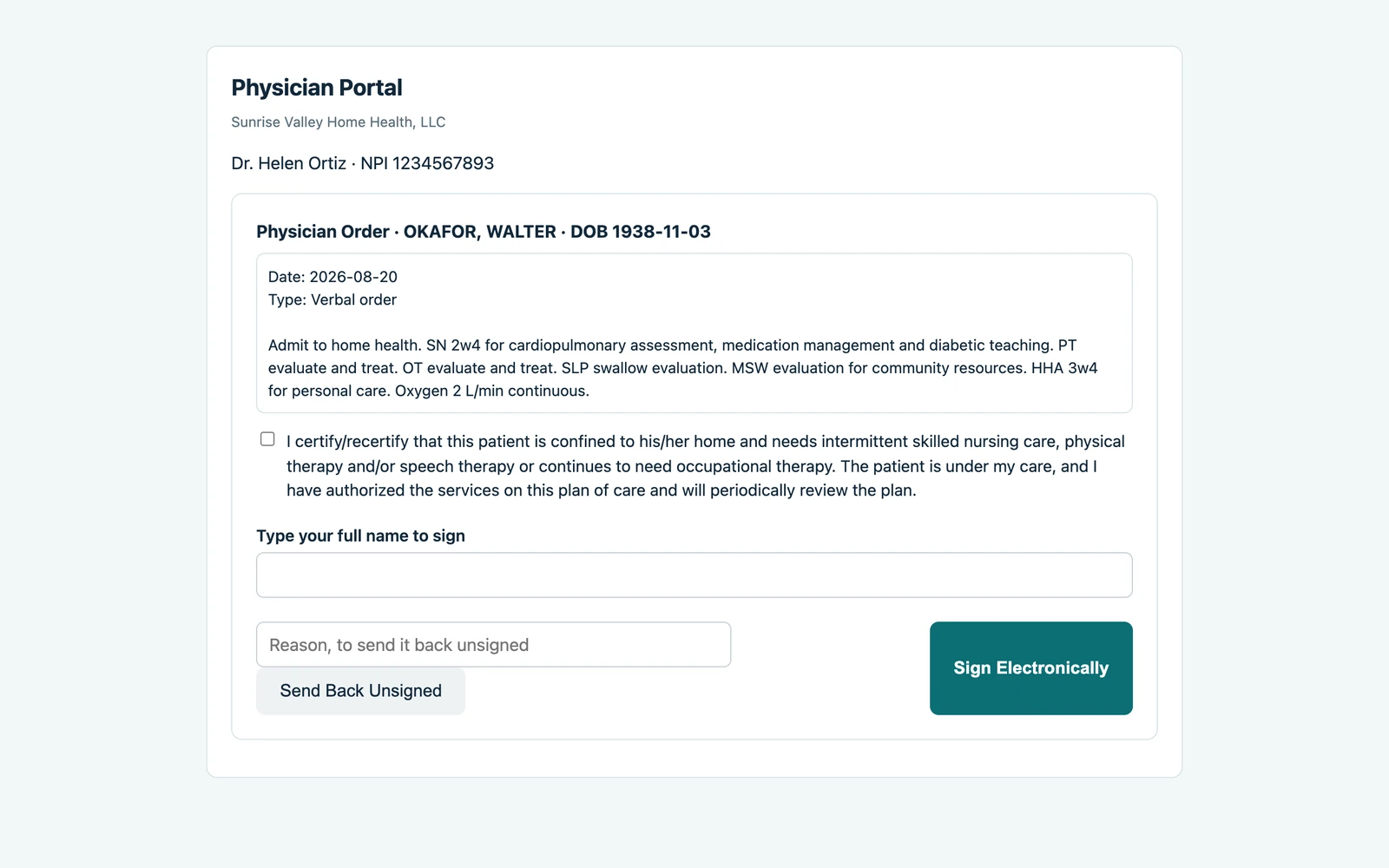
Physician portal showing an order awaiting review and signature.
Physician portal showing an order awaiting review and signature. Sample facility with invented patients · Enlarge screenshot ↗

Help keep charting from taking over the evening

Connected records and draft assistance can reduce searching and repeat documentation across disciplines. A more manageable documentation workflow supports staff satisfaction and nurse retention.

Documentation across disciplines

Keep nursing, therapy, social-work and aide documentation connected to the patient record. Review each discipline’s required content.

Review before sign-off

Use draft assistance as a starting point. Clinicians verify, correct and sign their own notes; case managers review the work assigned to them.

Orders that can move forward

Give physician orders a dedicated review and signature workflow. Keep outstanding orders visible to the team following up.

Connected work

Keep the next handoff in view.

Explore the rest of the patient workflow.

See the work, not just the feature list

Bring your questions.
We’ll bring the patient workflow.

Follow a sample referral through clinical review and billing with your team.

Book a demo
Comparing systems? Use the home health software evaluation checklist during your demo.